 MirrorGo
How to watch free live TV channels on a web browser
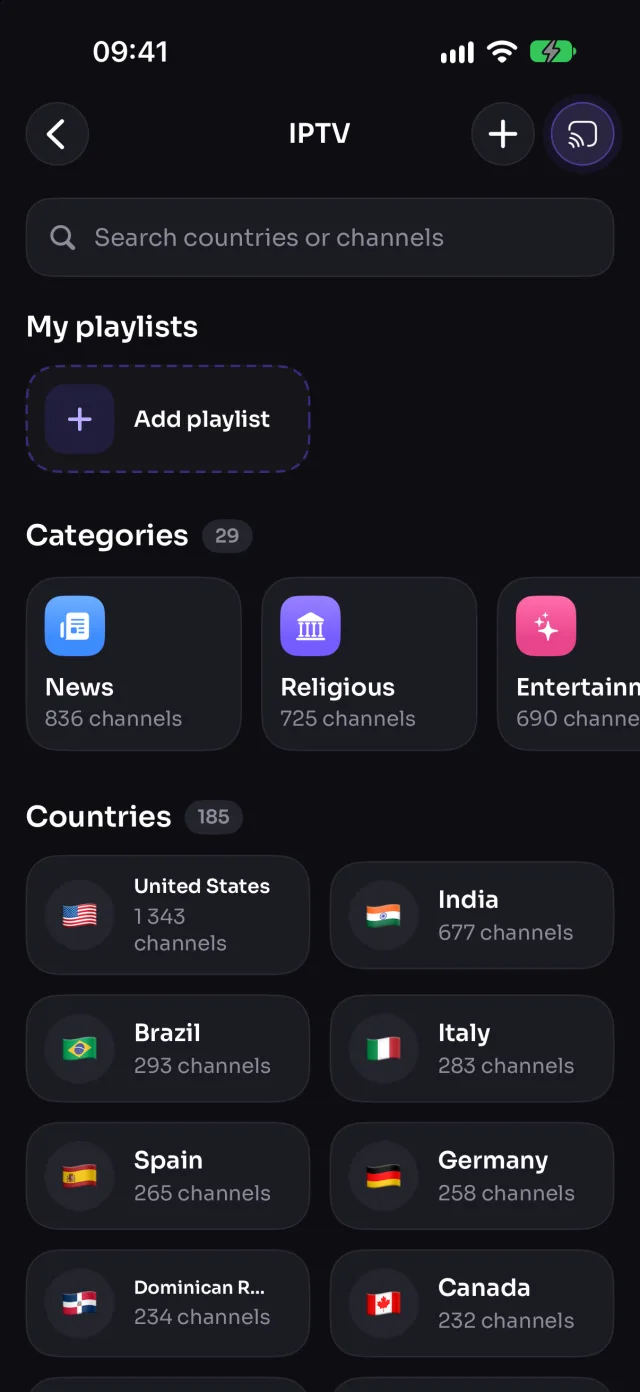
MirrorGo lists more than 9,000 free, public live TV channels from over 180 countries (news, sports, movies, music, kids and more) and plays them on a web browser with one tap. You can add your own M3U playlists too.
Step by step
- Connect MirrorGo to a web browser.
- On MirrorGo's Home, tap IPTV.
- Pick a country or a category, or search for a channel by name.
- Tap a channel: it starts on the TV. Tap another to switch.
- Tap ☆ to keep a channel in Favorites; tap + to add an M3U playlist link.
On Any web browser
The page plays the channel itself, so it keeps playing after you lock your phone; reloading the page picks it up again.
Good to know
- The channel keeps playing when you leave the list or lock your phone. Stop it from the bar at the bottom of Home.
- Channels are free public streams from the iptv-org list: at any moment some are offline or only play in their own country. If one doesn't start, try another.
- Your own playlist must be an HTTPS link to an M3U file (or to a single HLS stream).
Coming soon to the App Store
More for Any web browser
Screen mirroringMirror your iPhone to any screen with a web browserConnectHow to Connect an iPhone to a Web BrowserPhotos & videosHow to Cast Photos and Videos from iPhone to a Web BrowserWeb imagesHow to Show Free Web Images on a Web Browser from an iPhoneYouTubeHow to Cast YouTube from iPhone to a Web BrowserWeb videosHow to Cast Videos from Any Website to a Web Browser with an iPhoneCameraHow to Show Your iPhone Camera Live on a Web Browser
Live TV (IPTV) on other TVs
Samsung TVHow to Watch Free Live TV Channels (IPTV) on a Samsung TV with an iPhoneLG TVHow to Watch Free Live TV Channels (IPTV) on an LG TV with an iPhoneRokuHow to Watch Free Live TV Channels (IPTV) on a Roku with an iPhoneGoogle TVHow to Watch Free Live TV Channels (IPTV) on a Google TV with an iPhoneAndroid TVHow to Watch Free Live TV Channels (IPTV) on an Android TV with an iPhoneChromecastHow to Watch Free Live TV Channels (IPTV) on a Chromecast with an iPhoneFire TVHow to Watch Free Live TV Channels (IPTV) on a Fire TV with an iPhoneApple TV & AirPlayHow to Watch Free Live TV Channels (IPTV) on an Apple TV with an iPhone