 MirrorGo
How to connect your iPhone to a Samsung TV
Connecting your iPhone to a Samsung TV with MirrorGo takes a few seconds: both on the same Wi-Fi, pick the TV, done. Nothing to install on the TV, and MirrorGo remembers it for next time.
Step by step
- Turn on your Samsung TV and put your iPhone on the same Wi-Fi.
- Open MirrorGo and tap Connect your TV. Your Samsung TV shows up by its name.
- Tap it. The first time, the TV asks whether to allow MirrorGo: choose Allow with the remote.
- Connected. MirrorGo remembers the TV, and the TV remembers MirrorGo, so it isn't asked again.
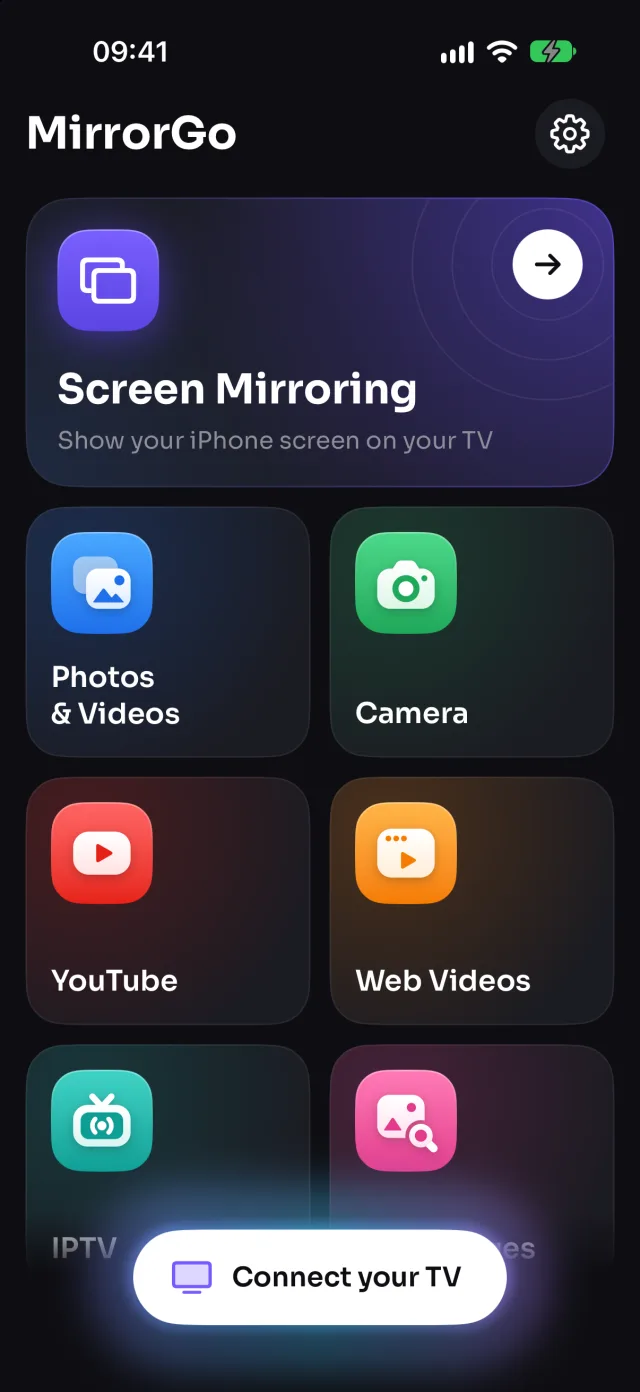
On Samsung TV
MirrorGo works with Samsung smart TVs from 2016 on (Tizen). It connects to the TV's remote-control connection and its built-in media player, so nothing has to be installed on the TV.
Chose Deny by mistake? The TV remembers it. On the TV open Settings › General › External Device Manager › Device Connection Manager › Device List, then allow MirrorGo or delete it so the TV asks again.
Good to know
- The phone and the TV must be on the same Wi-Fi network, not a guest network.
- MirrorGo needs Local Network access (iOS asks the first time). If you said no: Settings › MirrorGo › Local Network.
- Turn off any VPN on the phone while you cast.
- No TV found at all? Any TV with a web browser works through smrr.tv.
Coming soon to the App Store
More for Samsung TV
Screen mirroringMirror your iPhone to a Samsung TVPhotos & videosHow to Cast Photos and Videos from iPhone to a Samsung TVWeb imagesHow to Show Free Web Images on a Samsung TV from an iPhoneLive TV (IPTV)How to Watch Free Live TV Channels (IPTV) on a Samsung TV with an iPhoneYouTubeHow to Cast YouTube from iPhone to a Samsung TVWeb videosHow to Cast Videos from Any Website to a Samsung TV with an iPhoneCameraHow to Show Your iPhone Camera Live on a Samsung TV
Connect on other TVs
LG TVHow to Connect an iPhone to an LG TVRokuHow to Connect an iPhone to a RokuGoogle TVHow to Connect an iPhone to a Google TVAndroid TVHow to Connect an iPhone to an Android TVChromecastHow to Connect an iPhone to a ChromecastFire TVHow to Connect an iPhone to a Fire TVApple TV & AirPlayHow to Connect an iPhone to an Apple TVAny web browserHow to Connect an iPhone to a Web Browser